Vervette Fluid Sandbox...


Here we mingle, introduce ourselves, our thoughts and ideas and have caring discussions.

User avatar

Site Admin

Posts: 7436

Joined: Sun Nov 10, 2013 1:38 pm

Post Thu Feb 04, 2021 8:58 pm

Re: Vervette Fluid Sandbox...

YYYEEEEESSSS, but of course, Pilou! Totally fair to mention it, but, yes, I'm keenly aware of it! Especially after I started virtually modelling with it, hehehe!
Will come! :ob
Here to help! :D
System Info: Mac mini, Apple M1, 8 Gb, Sonoma 14.5 - secondary: AMD Radeon RX Vega 10, AMD Ryzen 7 (2.3 Ghz), Windows 11
Taron.de | Twitter | Pinterest | YouTube
User avatar

Posts: 814

Joined: Sun Oct 02, 2016 5:04 pm

Post Fri Feb 05, 2021 3:39 pm

Re: Vervette Fluid Sandbox...

oh something I feel that you want to fight with existing online painter, the competition is not small, the code is obscured, you can fight! :borg:
new times are coming, I believe in you c:!
System info: NVidia GTX1080, i7 6700, Win10
https://www.behance.net/pudjakjuzto2
User avatar

Posts: 814

Joined: Sun Oct 02, 2016 5:04 pm

Post Fri Feb 05, 2021 3:44 pm

Re: Vervette Fluid Sandbox...

I read about webgl and shaders ... there is also webgpu :shock:
System info: NVidia GTX1080, i7 6700, Win10
https://www.behance.net/pudjakjuzto2
User avatar

Posts: 4830

Joined: Mon Mar 24, 2014 9:58 am

Post Fri Feb 05, 2021 4:50 pm

Re: Vervette Fluid Sandbox...

Poor coders they must have their brains up burning! :hihi:
Is beautiful that please without concept!
http://moiscript.weebly.com/ https://schmoll8.wixsite.com/magicavox
Latop: Geforce GTX 950M, Intel Quad Core i7, Windows 10, 8 Gigas, 2.4ghz
User avatar

Site Admin

Posts: 7436

Joined: Sun Nov 10, 2013 1:38 pm

Post Fri Feb 05, 2021 5:15 pm

Re: Vervette Fluid Sandbox...

Well, as soon as webGPU becomes a real thing, I'll try to pounce on it! :ugeek:
Currently it's an idea in development. At the end, it's all about sending instructions to the GPU and having some interface. Unless it is vastly different, I have every expectation to be able to port my stuff over to it then, too. 8-)
Here to help! :D
System Info: Mac mini, Apple M1, 8 Gb, Sonoma 14.5 - secondary: AMD Radeon RX Vega 10, AMD Ryzen 7 (2.3 Ghz), Windows 11
Taron.de | Twitter | Pinterest | YouTube
User avatar

Posts: 4830

Joined: Mon Mar 24, 2014 9:58 am

Post Fri Feb 05, 2021 6:22 pm

Re: Vervette Fluid Sandbox...

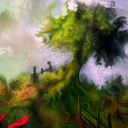
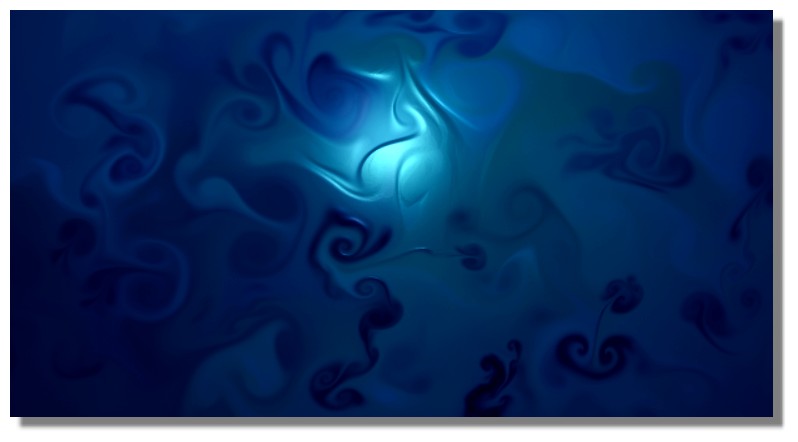
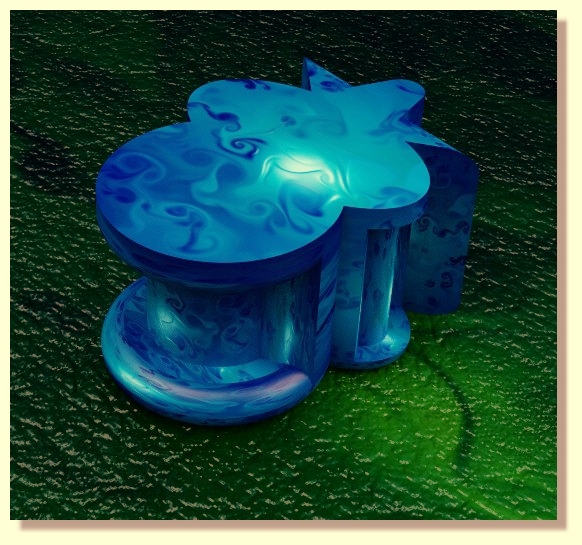
Seablue :)

Image

Image
Is beautiful that please without concept!
http://moiscript.weebly.com/ https://schmoll8.wixsite.com/magicavox
Latop: Geforce GTX 950M, Intel Quad Core i7, Windows 10, 8 Gigas, 2.4ghz
User avatar

Posts: 554

Joined: Mon Jan 23, 2017 3:11 am

Location: Lima-Peru

Post Fri Feb 05, 2021 10:23 pm

Re: Vervette Fluid Sandbox...

Cursor Brush? seems cool Pilou,
is that made with different brushes?
have the canvas texture been released?

EDIT: I did a quick test, I'm not that skilled with Vervette I think :roll:
Facebook: https://www.facebook.com/gonnabdh
Portfolio: https://www.deviantart.com/eduardobedoya/gallery
System: Intel Core i7-13700K, NVIDIA GeForce RTX 4080 16GB, CORSAIR Vengeance DDR5 32GB, Windows 11
Verve Wishlist:
-LSH color pallete
-Brightness Knob
User avatar

Site Admin

Posts: 7436

Joined: Sun Nov 10, 2013 1:38 pm

Post Fri Feb 05, 2021 11:45 pm

Re: Vervette Fluid Sandbox...

Ed, I think, for you to get a feel for it, consider the "canvas" to be unprimed/empty. You could try to lay down a bit of a coat in whatever background color you want. To do that, make the brush big enough so you can easily put paint everywhere, but then hold shift, just like in Verve and spread that paint as even as you can, like with a dry brush, you know. Once the paint is well spread, click on "MATTER". This will set the MATTER amount to 0 (in the middle of the slider). The MATTER slider goes from -1 to 1, you know.
With MATTER on 0 you can then start painting with your colors, also don't forget to use Shift to smudge and so on.
What I do, and I will release that as the default lighting next, is to zoom out and put my lightsource far away from the canvas and high enough to shine all over it. It's so nice to work that way, because it feels very real. However, you can always just turn off the lighting, too. I also may change the light falloff for the sandbox.
Later in the full version there will be a lot more control for lights and materials, too.
Canvas texture will come later, too, into the full version. But I won't put it into the sandbox.
Here to help! :D
System Info: Mac mini, Apple M1, 8 Gb, Sonoma 14.5 - secondary: AMD Radeon RX Vega 10, AMD Ryzen 7 (2.3 Ghz), Windows 11
Taron.de | Twitter | Pinterest | YouTube
User avatar

Posts: 4830

Joined: Mon Mar 24, 2014 9:58 am

Post Sat Feb 06, 2021 6:59 pm

Re: Vervette Fluid Sandbox...

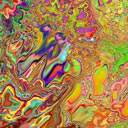
For the blue above I just take a big circular Brush and make some speedy paint
then take a little circular Brush and paint again in the moving Fluid screen!
That can't be more simple ans speedy ! Maybe 20 seconds! :)
Is beautiful that please without concept!
http://moiscript.weebly.com/ https://schmoll8.wixsite.com/magicavox
Latop: Geforce GTX 950M, Intel Quad Core i7, Windows 10, 8 Gigas, 2.4ghz
User avatar

Posts: 554

Joined: Mon Jan 23, 2017 3:11 am

Location: Lima-Peru

Post Sat Feb 06, 2021 7:14 pm

Re: Vervette Fluid Sandbox...

Pilou wrote:different forms of the Cursor Brush... circular, rectangular etc...


Cursor Brush???
Hi Pilou, I meant your orange artwork
thx advanced.
Facebook: https://www.facebook.com/gonnabdh
Portfolio: https://www.deviantart.com/eduardobedoya/gallery
System: Intel Core i7-13700K, NVIDIA GeForce RTX 4080 16GB, CORSAIR Vengeance DDR5 32GB, Windows 11
Verve Wishlist:
-LSH color pallete
-Brightness Knob
PreviousNext

Return to Community [feedback, bug reports, discussions, etc...]

Who is online

Users browsing this forum: No registered users and 5 guests

Powered by phpBB © 2000, 2002, 2005, 2007 phpBB Group.
Designed by ST Software